
Archive: This content is maintained for historical reference. Please note that the specific versions and commands may no longer be compatible with modern systems.
This guide explains how to resolve the “Pane is dead” error that frequently occurs when installing newer versions of Fedora on HP ProLiant DL580 G5 or DL360 G5 servers.
By following the steps below, you can bypass this hardware-related conflict and complete your installation successfully.
The Issue
The error typically appears during the initial boot phase of the Fedora installer on specific HP ProLiant hardware. This is often caused by a conflict with certain network storage drivers.

Step 1: Access the Boot Menu
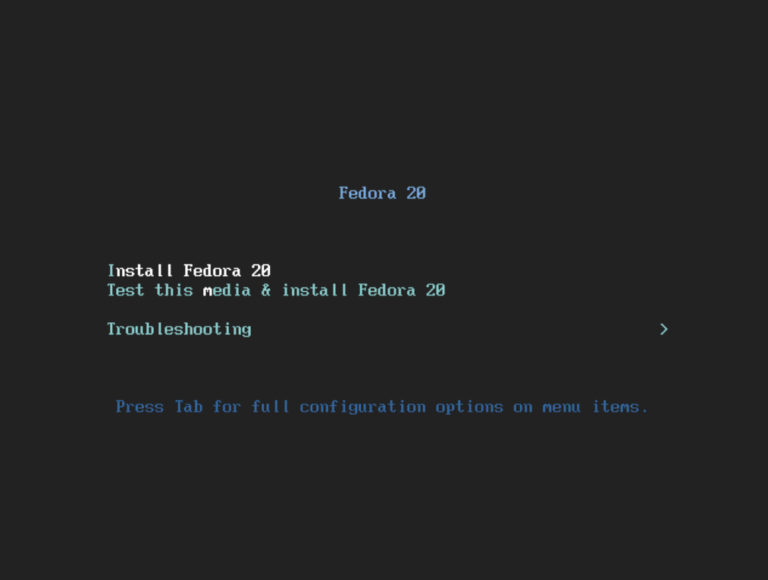
Boot your server using the Fedora installation media (USB or Disc) and wait for the initial boot menu to appear.
Step 2: Edit the Boot Options
Highlight the “Install Fedora” option (e.g., Install Fedora 20 or later). Instead of pressing Enter, press the TAB key.
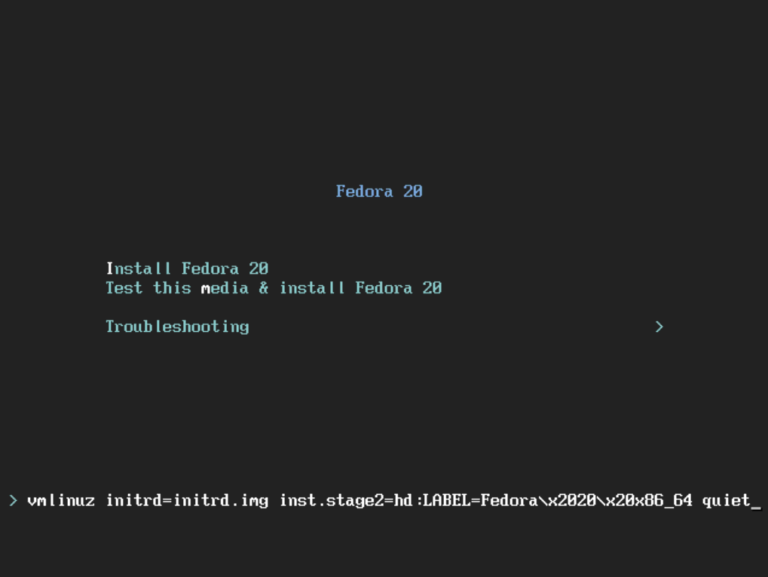
Pressing TAB will reveal the full configuration line at the bottom of your screen, which usually starts with vmlinuz....
Step 3: Add the Driver Blacklist
Append a space to the end of that line, followed by this specific command to prevent the conflicting drivers from loading:
modprobe.blacklist=cnic,bnx2i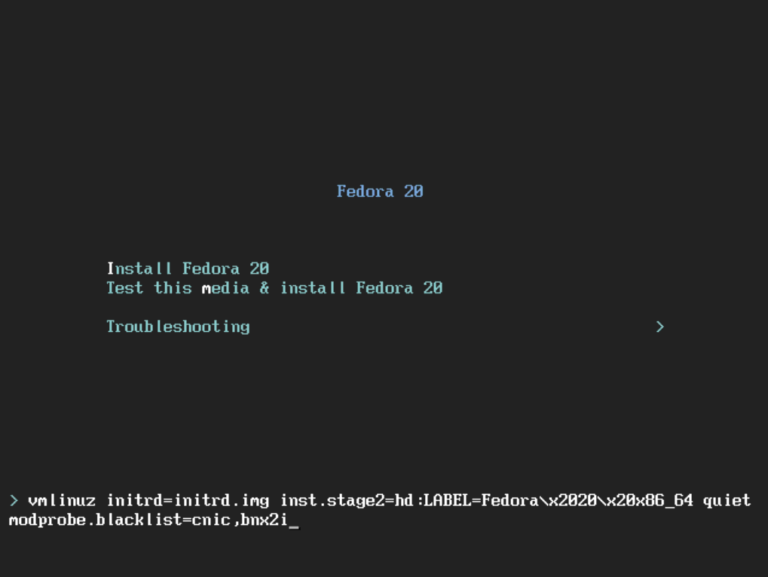
What this does: This command tells the kernel to ignore the
cnicandbnx2imodules, which are known to cause crashes during the hardware detection phase on these specific ProLiant models.
Step 4: Start the Installation
Once you have added the text, press Enter. The installer should now load correctly without the “Pane is dead” error.
That is all it takes to get Fedora running on your legacy ProLiant hardware!